Last modified: Tue Dec 15 10:57:14 UTC+0100 2015 © A. Tarpai
CMYK in DCT-based JPEG and Decoder Implementation
(C) 2010 Attila Tarpai (tarpai76 at gmail)
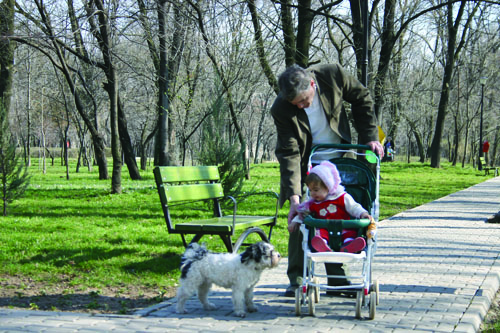
This is the original CMYK JPEG image from Wikipedia:
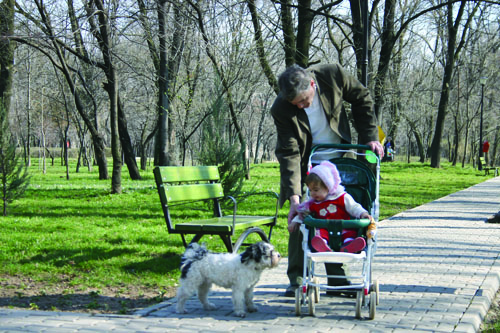
This is the converted image by Firerainbow Decoder:
Interestingly, Windows 7 does some color profile stuff:

Intro: the CMY Color Space
CMY is a substractive color-space invented for printing. Very similar to the additive RGB - just substractive result of the 3 main colors. More and more RGB saturation goes toward white - while more and more CMY saturation goes toward black. The monitor screen is black when switched off - the paper is white when nothing is printed on it.
The CMY -> RGB formula is simple:
R = 1 - C
G = 1 - M
B = 1 - Y
Later - not to waste too much ink for black - a K (black) ink has been added and mixed in. That is CMYK.
- CMYK
- CMYK inverted
- YCCK
- YCCK inverted
Principles in the JPEG compression
- JPEG permits DCT-based compression of any number of color components (channels)
- JPEG doesn't care about color spaces, transformations, ICC-profiles
- application defined markers (APPn) may contain extra information
- DCT-based compression works best in a 'YUV'-type color space (see YCCK)
So, nothing prevents us to f.ex.:
- send separate R-, G- and B pixel color values as 3 color components to be compressed
- send separate C-, M-, Y- and K pixel color values as 4 color components to be compressed
- transform RGB -> YUV and send color values as 3 color components to be compressed
- transform CMYK -> YUVK and send color values as 4 color components to be compressed
CMYK formulae
K is black, it darkens the ink.
CMYK -> CMY
C = ( C * ( 1 - K ) + K )
M = ( M * ( 1 - K ) + K )
Y = ( Y * ( 1 - K ) + K )
CMYK -> RGB
This is what we are interested in from the JPEG Decoder point of view. The standard formulae are:
R = 1 - ( C * ( 1 - K ) + K )
G = 1 - ( M * ( 1 - K ) + K )
B = 1 - ( Y * ( 1 - K ) + K )
where all values are in the range of [0..1].
Now.. we can simplify this a little.
Trick: let K' = 1 - K, then
R = 1 - ( C * K' + (1 - K')) = K' - C*K'
which makes CMYK -> RGB computation so much shorter and faster!
R = K' - C*K'
G = K' - M*K'
B = K' - Y*K'
CMYK -> RGB Implementation in the JPEG Decoder
8-bit JPEG compresses and stores CMYK pixel values in the range of [0..255]. Our RGB output is also in the range of [0..255]. This fact will lead to some further simplifications.
Let them be small capital cmyk and rgb, then the formulae are:
r = k' - ck'/255.0
g = k' - mk'/255.0
b = k' - yk'/255.0
Or by C integer approximations:
- with little more accurate idiv:
r = k' - (c*k'+128)/255
- with faster and little less accurate asr:
r = k' - ((c*k'+128)>>8)
This is what I use in the decoder: an acceptable and fast appx. NB. k' can be computed as ~k (negate) in C, instead of 255-k, even little faster.
+--------------------------+
| r = k' - ((c*k'+128)>>8) |
| g = k' - ((m*k'+128)>>8) |
| b = k' - ((y*k'+128)>>8) |
+--------------------------+
TODO. Playing with ICC profiles.
RGB -> YCC
There are two forms of digital YUV data:
- full range digital YUV (Y'PbPr)
- ranged digital YUV (Y'CbCr).
Equations are in the ITU BT standards for television and digital television.
JPEG uses full range digital YUV sample data (0..255) according to ITU BT.601
CMYK -> YCCK
This is something like Y'PbPrK, full range digital CMYK (0..255), where K remains unchanged, while CMY data gets converted the same way as Y'PbPr, according to ITU BT.601.
This means under conversion, that first we pass YCC to the same function to compute CMY.. then compute the full CMYK -> RGB.
TODO: an integer optimization in one function?
Inverted Adobe CMYK
For some reason once Adobe Photoshop stored CMYK values inverted, where zero meant maximum ink. This turns the conversion upside-down, and images appear inverted or simply black (too much K). We can recognise an Adobe-made CMYK JPEG by the APP14-marker, but this doesn't guarantee that the image will be correct!! I've tested a few images found on the web, and there is a complete mess. The decoder now checks this marker and inverts color in Adobe CMYK and YCCK images. This worked for me for images I've saved from my PS.
I think the best would be to implement a switch to invert or not a CMYK image - regardless of Adobe or not. TODO.
This is from 5116.DCT_Filter.pdf:
Adobe Application-Specific JPEG Marker
--------------------------------------
0000:	FFEE
0002:	000E
0004:	The text 'Adobe' as a five-character ASCII big-endian string
0009:	Two-byte DCTEncode/DCTDecode version number (presently 0x65)
000B:	Two-byte flags0 0x8000 bit: Encoder used Blend=1 downsampling
000D:	Two-byte flags1
000F:	One-byte color transform code
CMYK -> RGB in C - reference float function
static int CMYKtoRGB(unsigned char *ph[4])
{
double c,m,y,k;
c= (*ph[0]) / 255.0;
m= (*ph[1]) / 255.0;
y= (*ph[2]) / 255.0;
k= (*ph[3]) / 255.0;
// CMYK -> CMY
c= c * (1.0 - k) + k;
m= m * (1.0 - k) + k;
y= y * (1.0 - k) + k;
// CMY -> RGB
c= (1.0 - c) * 255.0;
m= (1.0 - m) * 255.0;
y= (1.0 - y) * 255.0;
#define CC(x) CLIP[(int)(x)]
return (CC(c)<<0) | (CC(m)<<8) | (CC(y)<<16);
}
Some remarks
C '~' and 'integral promotion' is an issue for byte values. We have to cast it back to 'unsigned char'.